

Most Smart Campaign issues don’t come from the tool.
They come from how the campaign is set up.
After working on multiple Marketo instances over the past few years, the same patterns show up again and again. The campaign runs exactly as configured, but the outcome is off.
Here are the five mistakes that cause most of it.
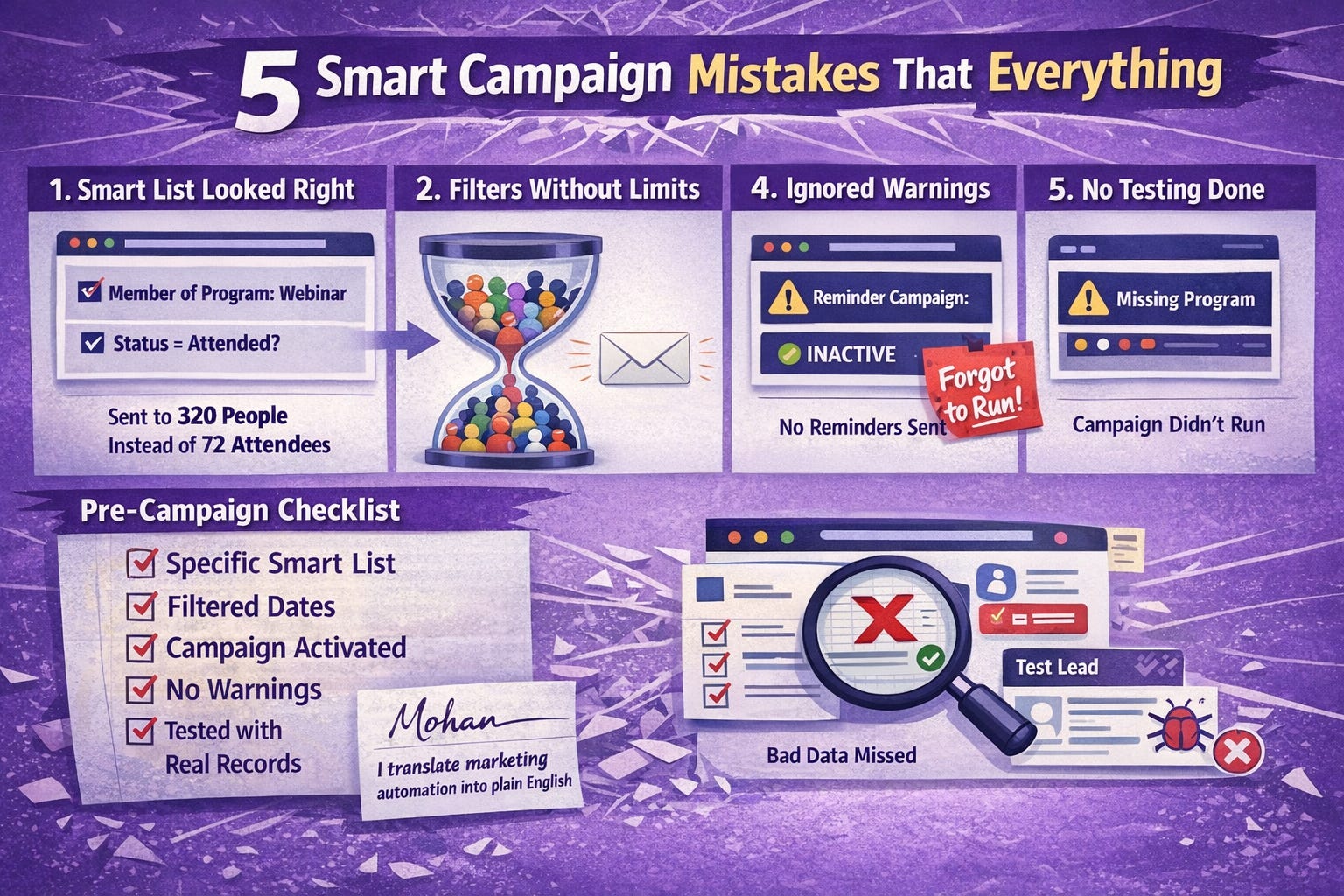
1. Smart List that looks right, but isn’t
A Smart List can feel correct when you build it. The problem shows up only after the send.
I reviewed a webinar campaign recently. The audience was expected to be around 72 registered users.
The Smart List should be: People who attended the webinar
Member of Program = Webinar
What it didn’t include was the actual status.
So it picked up:
people who were members of the whole program
The send went out to around 320 people.
Nothing failed in the system. The selection just wasn’t tight enough.
2. Filters without boundaries
Some filters keep expanding over time if you don’t limit them.
Things like:
visited a page
filled out a form
member of a program
Without adding a condition around when or how, the audience grows silently. A campaign built months ago can suddenly start pulling in people you didn’t expect.
This is where many campaigns drift away from their original intent.
3. Forget to Running the campaign
The setup can be correct, and still go wrong at execution.
A reminder campaign was built for an event. 1 week and 1 day.
The idea was simple:
Send a reminder email before 1 week and 1 day of the event.
The Smart List had:
Trigger: Fills Out Form (Event Registration)
Everything looked fine.
But instead of activating it, you forget it.
People who registered weeks ago never received a reminder email.
People forget about the event
4. Skipping warnings in the setup
Marketo usually flags incomplete setup. It’s easy to overlook when you’re focused on finishing the build.
I’ve seen a campaign where a program filter was added but no program was selected. The warning was visible, but ignored.
The campaign was scheduled and expected to run.
Nothing happened.
The issue wasn’t hard to fix. It just wasn’t noticed in time.
5. Not testing with real records
This is where small gaps become bigger issues.
A campaign was built to update lead data based on activity. Everything in the setup looked fine.
After running, the updates didn’t apply as expected.
The cause was a small issue in the flow that wasn’t obvious during setup. It only showed up when real records went through it.
A quick test with one or two records would have caught it early.
Before you activate any campaign
A quick check helps avoid most of this:
Is the Smart List specific enough
Are filters limited with the right conditions
Is the campaign running as intended (one-time vs active)
Are there any warnings in the setup
Has it been tested with actual records
Final thought
Smart Campaigns follow instructions very closely. Small gaps in setup can lead to large differences in results.
Spending a few extra minutes reviewing the logic usually prevents most of these issues.
Written by Mohan — I translate marketing automation into plain English.
Very insightful